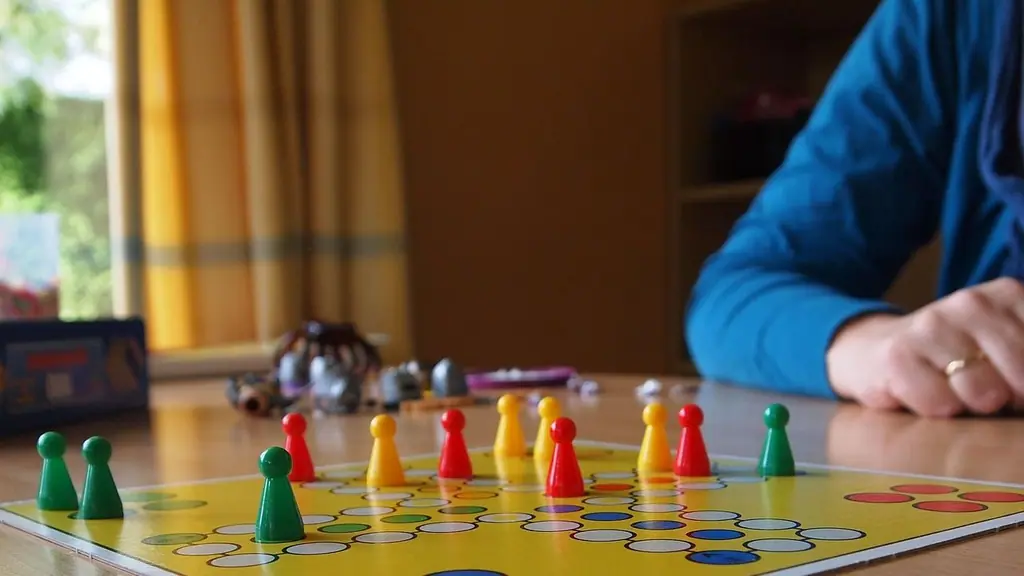
"Is this game OK for my kid?" is one of the most common questions parents ask, and the age label on the box is the obvious place to start. But a rating answers only part of the question. Two games with the same label can feel completely different to a sensitive eight-year-old, and a label says nothing about whether a game is too hard, too wordy, or built around nudges to spend money.
This guide sets out a practical, five-layer framework that works for any game on any platform. It will not give you a list of "best games for 5-year-olds", because the right game depends on the child. It will help you decide for yourself, quickly and with confidence.
Layer 1: the age rating
Start with the official rating for your region.
- In the United States and Canada, games are rated by the ESRB: Everyone (E), Everyone 10+ (E10+), Teen (T, ages 13 and up), Mature 17+ (M) and Adults Only 18+ (AO).
- In the UK and most of Europe, games carry PEGI labels: 3, 7, 12, 16 and 18.
Both systems judge content suitability by age. Neither rates difficulty or quality. PEGI states plainly that its rating considers age suitability, "not the level of difficulty." Our companion guide, ESRB and PEGI ratings explained, covers every category in detail.
Treat the rating as a floor-level safety check: if the label is well above your child's age, that is a strong signal. If it is at or below their age, keep going through the other layers.
Layer 2: the content descriptors
Next to the rating you will find short descriptors explaining why the game got that label. ESRB uses phrases such as Fantasy Violence, Comic Mischief, Mild Language or Crude Humor, and a "Mild" prefix signals lower frequency, intensity or severity. PEGI uses icons for violence, bad language, fear, gambling, sex, drugs and discrimination.
Descriptors matter because they tell you which kind of content pushed the rating up. A PEGI 7 game might carry the Fear descriptor for frightening pictures or sounds. That is fine for one seven-year-old and a source of nightmares for another. ESRB also notes that descriptors are not a complete list of content, so they are a guide rather than a guarantee.
Layer 3: purchases, randomness and chat
This is the layer that has changed most in recent years, and the one the box rating historically said least about.
ESRB adds interactive elements below its rating, including:
- In-Game Purchases: offers to buy items, currency, subscriptions or season passes with real money.
- In-Game Purchases (Includes Random Items): purchases where you do not know exactly what you will get, such as loot boxes.
- Users Interact: possible exposure to unfiltered content from other players, including chat.
- Shares Location and Unrestricted Internet.
ESRB states that these elements do not affect the age rating itself.
PEGI has gone further. For games submitted since June 2026, interactive risks now count toward the age rating:
| Feature | PEGI minimum since June 2026 |
|---|---|
| Paid random items (loot boxes, card packs) | PEGI 16, or PEGI 18 depending on how they are implemented and presented |
| Time-limited or quantity-limited purchase offers | PEGI 12 (PEGI 7 if parental controls switch spending off by default) |
| Daily quests or login rewards ("pressure to play") | PEGI 7, or PEGI 12 if players lose rewards for not returning |
| Unrestricted chat with no blocking, muting or moderation | PEGI 18 |
In October 2026 PEGI also began updating digital-only games already rated PEGI 3, 7 or 12 that include paid random items, moving them to PEGI 16. The updates are being rolled out over time, so an older store listing may not yet show the new label. Read the feature list on the store page as well as the icon. Our guide to loot boxes and in-game purchases explains why these features attract extra scrutiny.
Layer 4: your child
No rating board knows your child. Ask:
- Sensitivity. Do scary sounds, peril or sad stories upset them? Look closely at fear-related descriptors.
- Reading level. Many games for younger players still rely on on-screen text for instructions and story. A child who cannot read it will need an adult nearby or a different game.
- Frustration tolerance. Does the game punish failure heavily, or let players retry quickly? Look for difficulty settings and assist options.
- Motor skills. Fast button combinations can defeat a five-year-old even when the content is gentle.
- Social readiness. Is your child ready to handle strangers, competitive chat or losing to other players online?
A rough guide by age, for content and design rather than titles:
| Age | Usually works well | Watch for |
|---|---|---|
| Around 5 | Short sessions, no reading required, no time pressure, simple controls, no online contact | Ads, purchase prompts, sudden scares |
| Around 8 | Puzzles, building and creative modes, light cartoon action, local co-op with family | Chat features, collectible purchases, long sessions without save points |
| Around 10 to 12 | Deeper strategy, longer stories, carefully supervised online play | Random paid items, pressure-to-play rewards, open voice chat |
For children under 5, current WHO guidance (2019) is that screen time is not recommended under age 1, sedentary screen time is not recommended at age 1, and for ages 2 to 4 it should be no more than one hour a day, with less being better. Our guide to screen time guidance in 2026 puts that alongside the AAP's newer approach.
Layer 5: try it before you commit
The most reliable test is your own eyes.
- Watch real gameplay. Official trailers show the highlights; longer gameplay footage from the developer or a review shows what an ordinary session looks like.
- Read a parent-focused review. Common Sense Media, for example, publishes age-based game reviews that describe content, purchases and online features in plain language.
- Play it yourself first, or at least the first half hour, ideally with a free demo.
- Check the settings menu for difficulty, purchase locks, chat controls and offline mode.
- Set up parental controls on the console, PC or phone before the first session, not after a surprise bill.
- Play the first session together and watch your child's reactions, not just the screen.
The American Academy of Pediatrics' 2026 policy guidance on children's digital lives encourages parents to "watch and play alongside" their kids as the best way to understand what they are using and how they respond. It also asks families to look beyond simple screen-time limits toward the quality and context of what children use, and highlights engagement-driven design, such as rewards built to keep children playing, as something to watch for.
Revisit as your child grows
Age-appropriate is a moving target. A game that was perfect at six may feel babyish at eight, and a game that was too intense at nine may be fine at eleven. Every few months, ask:
- Is the game still enjoyable, or played out of habit?
- Have new features, updates or purchase offers appeared?
- Is my child ready for more independence, such as playing without me in the room?
Healthy play
Agreements work better than rules imposed mid-game. Write down which games are approved, where they are played and when they end, and review it together. A family media plan for games is a simple way to do this.
Start with something low-stakes
Play it
Our browser games have no purchases, no chat, no accounts and no timers forced on young players. Memory Match on Easy suits children from about 4, and Maze on its Easy level also suits children from about 4. They are a calm way to watch how your child handles a new game before trying anything bigger.
For more on balancing games with the rest of family life, explore the guides in gaming for families.
Sources
- ESRB Ratings Guide, Entertainment Software Rating Board
- What do the labels mean?, PEGI (Pan European Game Information)
- PEGI updates age ratings of existing games with paid random items, PEGI
- Helping Kids Thrive in a Digital World: AAP Policy Explained, American Academy of Pediatrics (HealthyChildren.org)
- To grow up healthy, children need to sit less and play more, World Health Organization
- Game reviews, Common Sense Media